Platform Overview

Understanding the Pattermere Platform

The Pattermere platform is an information-organisation system designed to give users a structured way to interact with digital data. This page describes the system's positioning, what it is intended to do, and what users should consider before requesting access.

Platform Scope

What the system covers

An organised information environment

Pattermere is designed as a structured system for organising and reviewing information rather than a general document store or unformatted database. The interface presents data in clearly defined categories, giving users a consistent way to navigate between different types of information without losing context.

How the interface is presented

The system presents information through a layered structure: broader categories are visible at the top level, and users can move progressively into more specific sections. Each view within the platform reflects the category being examined, making it straightforward to understand where you are and what the displayed information represents.

Verified information and general descriptions

Some information shown within the platform has been reviewed and verified through standard processes. Other items are presented as general descriptions or summaries that have not been independently confirmed. The interface distinguishes between these two types where practical, and users are encouraged to treat summary descriptions as indicative rather than definitive.

Before requesting access

Users considering an access request should familiarise themselves with the scope of the platform, the types of information it presents, and the steps involved in the access process. A summary of those steps is available on the Capabilities page. Direct questions can be submitted through the Enquire page.

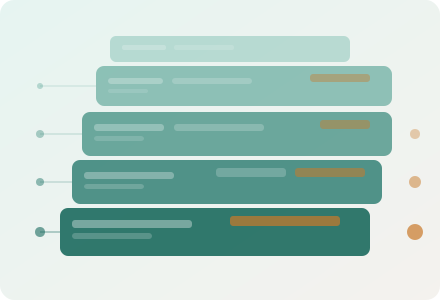
Stacked diagram showing how the Pattermere platform organises information into layered, navigable tiers
Interface Notes

Key aspects of the Pattermere interface

Consistent navigation

The navigation structure remains consistent throughout the system. Each section is labelled according to the type of information it contains, and users can move between sections without restarting their review. Breadcrumb-style indicators show the current location within the information hierarchy.

Categorised data views

Information is presented in categorised views rather than as an undifferentiated list. Each category has defined attributes, and the system displays those attributes consistently across all entries within that category, making comparison straightforward.

Summary and detail levels

Most sections of the system offer both a summary view and a more detailed record. The summary view is useful for scanning available entries, while the detail view provides the full set of available attributes for a specific item.

Enquiry integration

Where a user requires clarification about a specific record or category, the system provides a direct link to the enquiry form. Submissions made through this route are tagged with relevant context, allowing the support team to respond with targeted guidance.

Frequently Asked Questions

Questions about the Pattermere platform

  • What type of information does Pattermere organise?

    Pattermere is a general-purpose information-organisation system. The specific categories of information it contains depend on the configuration available to a given user. The system is designed to handle structured data across a range of formats, including textual records, structured entries, and categorised observations. The precise scope of information accessible to any individual user is determined during the access-request process.

  • How does the categorisation system work?

    The system organises information into a hierarchy of categories and subcategories. Each category has a defined set of attributes that apply to all entries within it. When you navigate to a category, the system displays a consistent view showing those attributes for every entry, making it easy to compare records or locate a specific item. You can move between levels of the hierarchy using the navigation controls within the interface.

  • Can I export or save information from the platform?

    Export and save functionality depends on the access level granted to a user. Some access levels include the ability to generate structured summaries of reviewed information. Details about available export options are provided during the access-request process or can be clarified through the enquiry form on the Enquire page.

  • Is the information on the platform regularly updated?

    The frequency of updates to the information held within the platform depends on the specific data category. Some categories are updated at regular intervals, while others reflect a defined snapshot of data at a particular point in time. The platform interface indicates the date of the most recent update for each category or record where this information is available.

  • What distinguishes a summary from a verified record?

    A summary is a general description derived from available information and has not been subject to independent verification. A verified record has been reviewed through the platform's standard confirmation process. The interface uses clear labelling to distinguish between the two types. Users should treat summaries as indicative and consult the full record or contact the support team if they need a confirmed statement about a specific entry.