System Capabilities

What Pattermere Is Designed to Do

Pattermere provides a defined set of tools for working with structured information. This page describes each capability in practical terms, explaining how it operates within the system and what it enables users to accomplish.

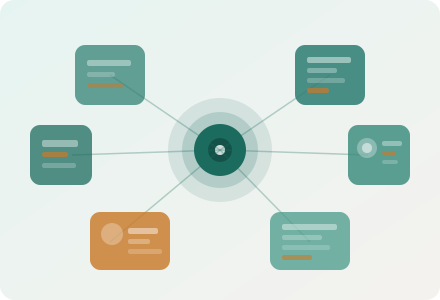
Geometric illustration showing the Pattermere system's central processing hub connected to surrounding functional capability modules
Five core capabilities

The building blocks of the system

Each capability within Pattermere addresses a distinct aspect of information management. Together, they form a coherent environment for reviewing, organising, and following up on digital data.

Classification

Information Classification

Pattermere assigns incoming data to categories based on defined attributes. Classification reduces the effort needed to locate relevant records, because entries of the same type are consistently grouped and presented using the same attribute structure. Users can navigate directly to a category and review all entries within it without needing to apply separate filters or sorting operations. The classification scheme reflects the nature of the information being stored and is determined when the platform is configured for a given deployment.

Review Interface

Structured Data Review

The platform provides a dedicated review interface that presents information in a consistent, readable format. Each record can be inspected at summary level or in full detail. The interface maintains the structure of the data even when records differ in length or complexity, presenting attributes in a fixed order so that users can compare entries with minimal effort. Where records have been updated since a previous review, the interface indicates the date of change and highlights the modified attributes.

Observation Summaries

Condensed Views and Pattern Indicators

Alongside individual record reviews, the system generates condensed views that draw together observations from a defined set of records. These views are particularly useful when a user needs to assess the general character of a category without examining every entry individually. Pattern indicators highlight where multiple records share common attributes, giving users a starting point for deeper review. These summaries are descriptive and do not draw conclusions on the user's behalf.

Enquiry Routing

Directed Enquiry and Request Handling

When a user encounters information they cannot resolve through independent review, the system provides a direct route to the support team. Enquiries submitted through the platform interface are tagged with contextual information about the record or category in question, making it possible for the support team to provide a targeted response. Submissions are reviewed in the order received, and the team may ask for clarification before providing a full response.

Access Management

Requesting and Managing System Access

Access to the Pattermere system is requested through the Enquire page. Submissions are reviewed by the support team, who determine the appropriate access level based on the information provided. Users with existing access can request changes to their level or submit questions about available functionality through the same channel. The platform does not make automated decisions about access; all requests are reviewed by a member of the team.

Getting Started

How to begin using Pattermere

Access to the system follows a straightforward process. Each step is described below.

  1. Review the platform overview

    Before submitting a request, read through the platform overview on The Platform page. Understanding the scope of the system and the types of information it contains will help you provide accurate details in your submission.

  2. Complete the enquiry form

    Visit the Enquire page and fill in the contact form. Include your name, email address, the type of request you are making, and a clear description of what you would like to access or what question you have. The more context you provide, the more precisely the team can respond.

  3. Await a response from the team

    The support team reviews all submissions and responds to each one individually. Depending on the nature of your request, the team may ask follow-up questions to clarify requirements or gather additional information before proceeding.

  4. Receive access confirmation

    Once your request has been reviewed and an appropriate access level has been determined, you will receive confirmation along with instructions for using the system. If access cannot be arranged, the team will explain why and suggest any available alternatives.